Messaging apps are used for personal events, for conducting business talks, for sending media files, and sometimes for sending personal information as well. GB WhatsApp provides users with more options related to customization and personalization compared to WhatsApp. However, this brings forth some security-related issues as well.
A stronger security system for GB WhatsApp is required. Without appropriate settings, there is a danger of exposing your conversations, media files, and personal information. Here is a step-by-step guide for securing your account for GB WhatsApp and making your app safe.
WhatsApp – Privacy & Security Basics
WhatsApp Privacy involves methods of protecting your information, messages, or data. The basic tools for this process range from end-to-end encryption to checking processes. The original WhatsApp app applies strict security guidelines. However, an altered version of WhatsApp, known as GB WhatsApp, has other guidelines in place.
GB WhatsApp gives more flexibility, and privacy is more than just hiding the status on the internet. It is also about protecting the backup, unauthorized access, and data sharing.
Why End-to-End Encryption Matters for Messaging Apps
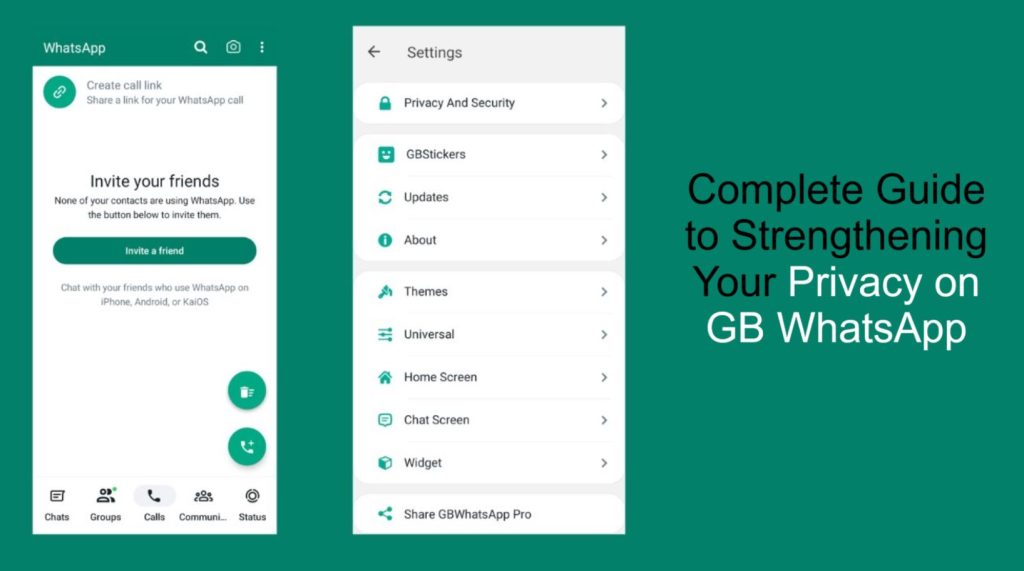
These messaging platforms contain personal data such as pictures, messages, documents, and contact information. Wrong acquisition of such information may cause financial losses, identity fraud, and emotional stress to users.
Users of GB WhatsApp must exercise care, given that the application is not supported. It is important to be security-conscious when using these applications.
Security Risks Associated with GB WhatsApp
GB WhatsApp is developed by third-party developers. There might be inconsistencies in the update cycle and security guidelines as well, meaning it may not be on the same update cycle as other WhatsApp versions. These risks may include:
- Delayed security updates.
- Lack of clear privacy policies
- Increased malware exposure
- Account Ban Risk
The risk of downloading and using GB WhatsApp from third-party websites includes that many of these altered files may have malicious code that allows them access to device data without users’ permission.
Key Steps to Ensure Virus-Free and Protects your GB WhatsApp
Securing your GB WhatsApp begins with practicing general security procedures. This reduces the chances of malicious use or data breaches.
Enable Two-Step Verification
Step two verification provides an extra layer of security. Your personal code is requested whenever an individual attempts to re-register your phone number. Even with your SIM card in possession, a hacker cannot access the service without this code.
Check End-to-End Encryption for Key Conversations
It is a fact that only you and the other party can read messages that have been sent using end-to-end encryption. You can check this by opening a message, clicking on the contact name, and then clicking on the encryption section.
Enable Security Notifications
Security notifications allow you to know if the security code for a contact changes. Sometimes, contacts change their security code if they are changing devices. They are a good way to detect any suspicious behavior.
Reduce Data Exposure By Adjusting Backup Settings
Cloud backups are convenient, although they carry some danger. In many cloud backups, data is not fully encrypted, which poses threats of data exposure.
Disable Cloud Backups
Switching off cloud backup features makes it harder for hackers to intercept discussions. The best option in this case is to perform encrypted backups.
Keep Backups Safe
If you do need backups, these must be made on encrypted external storage media. This prevents problems in case you lose or damage this device.
Manage Media Visibility and Device Access
Media files may contain leaked personal information. Handling the appearance of the media on your device is an added privacy dimension.
Hide Media From Gallery
Prevent WhatsApp media from being shown in the gallery so that others are unable to see private media. This is useful for devices that are being shared.
Log Out of WhatsApp Web
When you are still logged into WhatsApp Web from shared PCs, other people may access your conversations. Log out after each use.
Enhanced Privacy Features in GB WhatsApp
GBWhatsApp has a lot of privacy features available. Adjusting these appropriately enhances security.
Set Profile Visibility
Restrict who can view your profile photo, status, or last seen status. Allow only your contacts or selected persons to view these.
Reducing Forwarding and Mass Messaging
However, excessive use of forwarding or mass blasting might end up triggering spam filters, which may trigger a temporary or permanent block. Harden these tools when necessary.
Be Careful with Third-Party Add-Ons
Plugins may claim additional functionality but ask for rights you don’t really need. These rights can lead to the exposure of your data.
- Avoid Unknown Plugins
- Download files from trustworthy sources
- The permissions must be checked very carefully
Untested plugins are among the primary sources of malware infection.
Protect Your Internet Connection with GB WhatsApp
Public WiFi networks are not secure for personal conversations. Hackers can easily intercept the unprotected transmission of the data.
- Do not have sensitive discussions over public wireless connections
- Using a reliable VPN connection can provide an additional safety layer
- Make sure your device’s operating system is up to date
- A secure network reduces the likelihood of espionage and data sabotage
Why Upgrades are Important
Older versions of GB WhatsApp expose you more. Bugs and enhanced safety features are why the designers create new versions.
- Check for updates so they can be installed
- The latest versions fix known gaps and are more stable
Easy Tips to Protect Personal Information
- Use strong and distinctive passwords
- Refrain from accessing unknown links
- App permissions limitation
- Check privacy settings periodically
- Be alert for strange account activity
These acts help in maintaining lasting security.
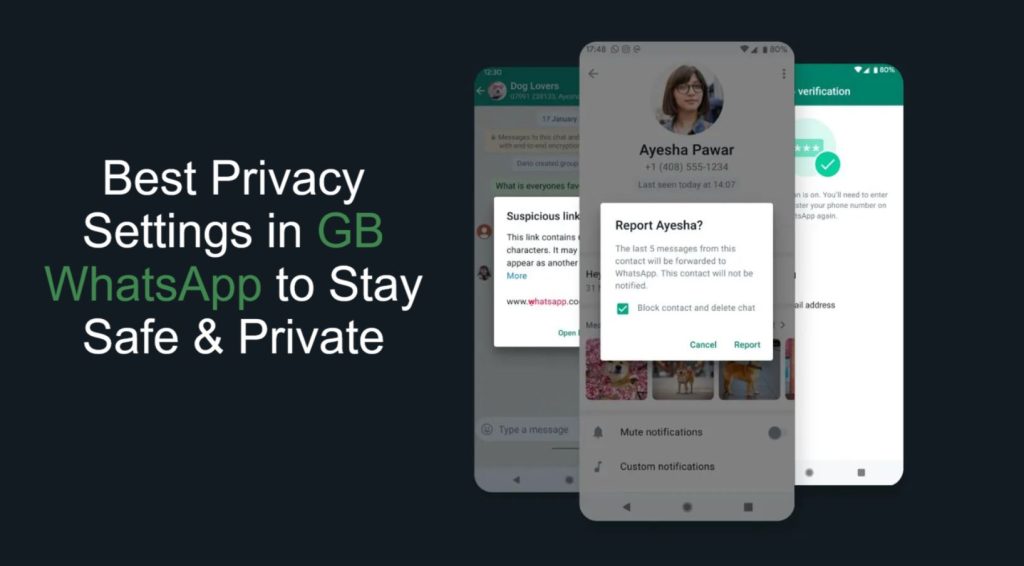
Transferring Chats Properly Prevents Data Loss
- Open official WhatsApp
- Settings – Chats – Chat Backup – back up to local storage
- Install GB WhatsApp
- Restore chats during setup
- Local storage of backups, not cloud services
Frequently Asked Questions
Is GB WhatsApp safer than the original WhatsApp?
GB WhatsApp comes with additional features but poses risks as it is developed independently and takes longer to update.
What about using GB WhatsApp along with WhatsApp?
Yes. You can have two by registering them with different telephone numbers.
Is GB WhatsApp an encrypted messaging service?
The messages are encrypted, though the overall security relies on appropriate settings and proper use.
Will antivirus software be helpful for GB WhatsApp?
Yes. Antivirus software can identify malware and dangerous files ahead of time.
Conclusion
Better security in GB WhatsApp is a requirement to ensure the protection of personal chats and data. Although the messaging app provides users with high levels of customization and privacy tools. It is important to use them in a responsible manner by enabling two-step verification, handling backup data, controlling media, and being cautious of potential security risks.
Security is not an activity that has to be done just once. It has to be done every day, with good practices. In this way, it’s possible to have a safe experience with GB WhatsApp, using this app in combination with high-level security.